


Game Introduction
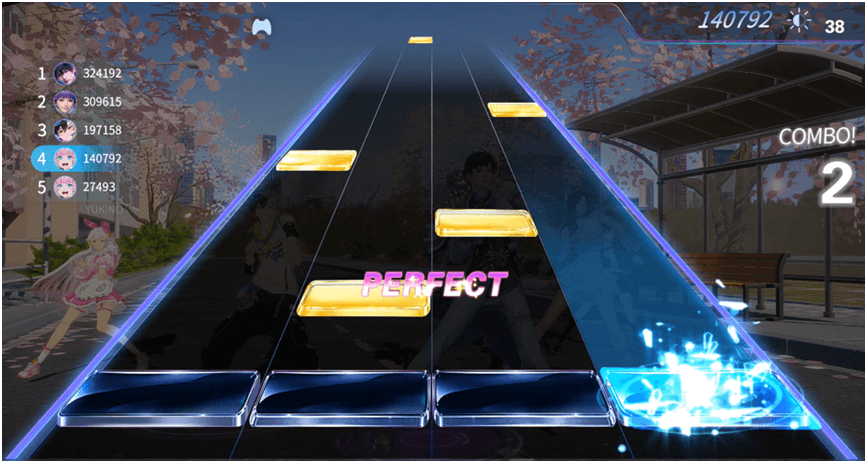
Rhythm Mode:
Variable key positions and extreme combos test your hand speed and rhythm prediction!
- The game switches between 4-key and 6-key tracks. The 4 keys are D, F, J, K, and the 6-key adds S and L keys, making it more difficult.
- After starting the game, notes will appear at the top of the track. You need to find the right timing to press the corresponding keys before the notes completely drop to complete the judgment.
- The score judgments are S.perfect, perfect, great, cool, and Miss. The higher the judgment level, the richer the score.
- Each successful note judgment accumulates 1 combo. When the combo reaches a certain number, the score will multiply exponentially. Once a Miss judgment appears, the combo count immediately resets to zero. At the end of the game, the maximum combo count in this round will be displayed.
Parrot Mode:
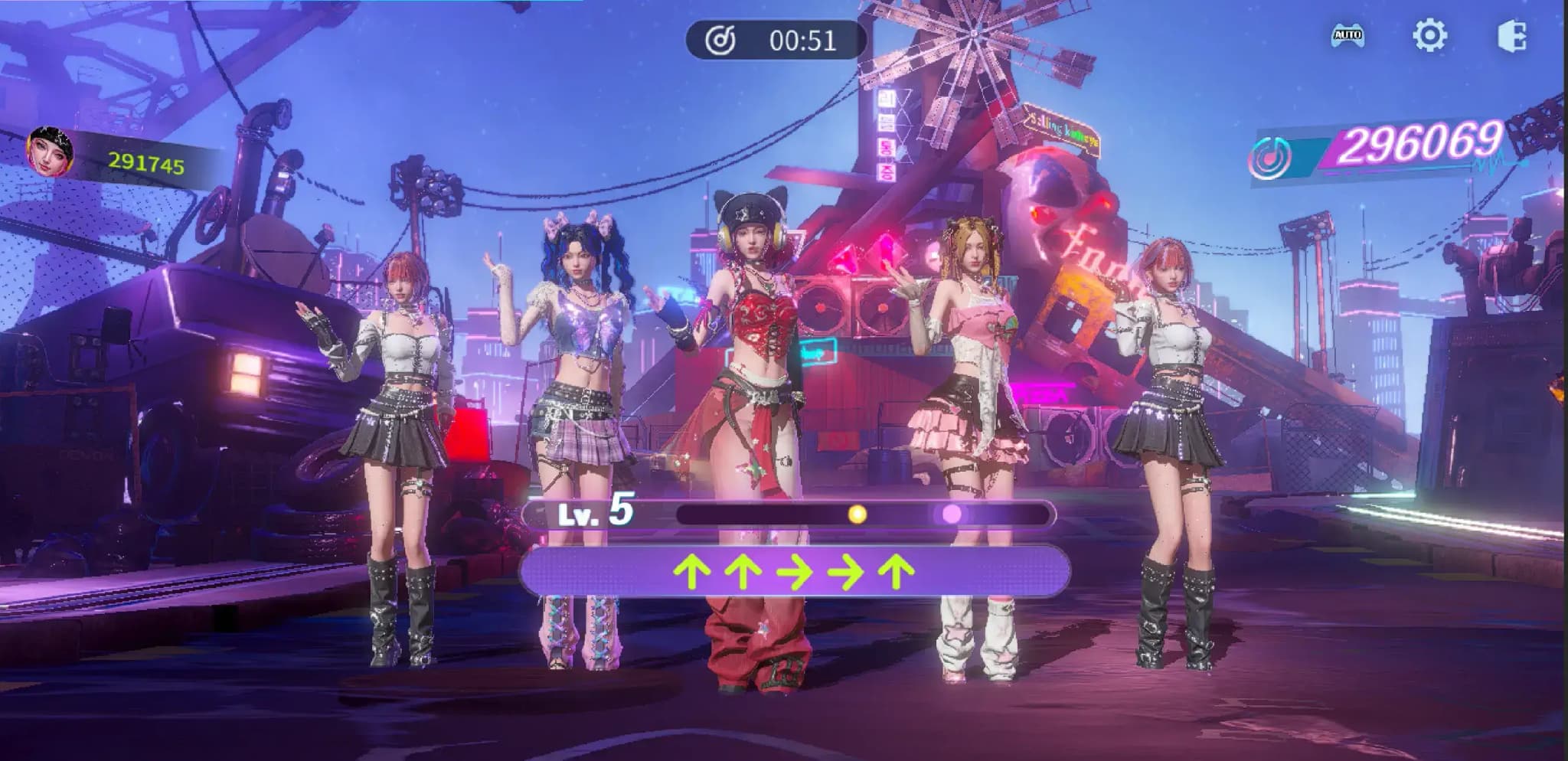
Dual operation of direction + beat, level progression and competitive ranking, multiplayer competition is more exciting!
- At the start of the game, enter the direction indicated by the corresponding arrow according to the prompt. After correctly entering the direction keys, click the space bar/Beat key when the ball rolls to the brightest point (within the judgment interval) to complete the input.
- LV.X will gradually increase, up to LV 9. (The higher the BPM, the higher the LV number)
- The score judgments are perfect, great, good, cool, and Miss. The better the judgment you get, the higher the score.
- The individual with the highest score wins the game. When scores are tied, the rankings will be the same. When some or all players have 0 points, no rewards will be given.
Game Features
Idol Audition:
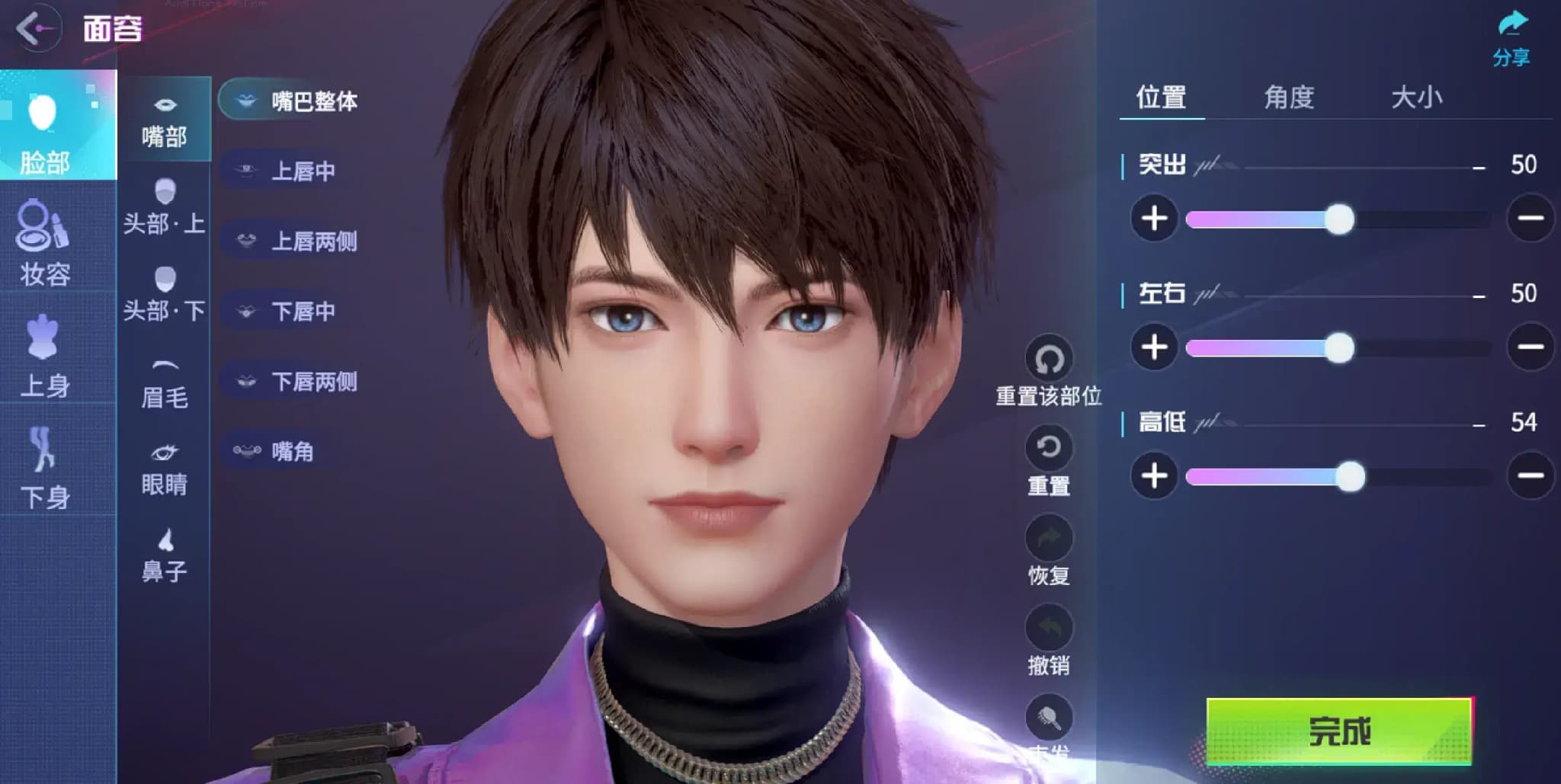
Face Customization System
Five facial features support refined parameter adjustment, from eyebrows, eyes, nose, lips to facial contours, each part can be freely adjusted:
- Eyebrows and Eyes: Customize eye shape, pupil color, eye distance, and match the depth of double eyelid folds; eyebrows support free switching of thickness, eyebrow shape, and hair color;
- Nose and Lips: Adjust nose bridge height, nose tip size, lip thickness, cupid's bow curvature, and can also set the angle of mouth upward to create different styles.
- Eyebrow Makeup: Freely adjust eyebrow shape, density, and eyebrow color to accurately match facial shape and makeup style.
- Eye Makeup: Eye shadow, eyeliner, eye晕 freely matched.
- Eyes: Eye shape, pupil color, pupil fine adjustment.
- Skin: Customize skin tone and gloss to create diverse skin effects.
- Lip Makeup: Optional lip shape, color number, and gloss, with free adjustment of gradient and bite lip effects.
- Blush: Freely set position, size, and density to instantly enhance the energetic or cool atmosphere.
- Facial Patterns: Optional flower钿 styles, detailed embellishments to create exclusive character memory points.
- Upper Body: Adjust shoulder width, bust, arms, palms, muscles, neck, and shoulders to create different body types, either slender or muscular;
- Lower Body: Independently adjust leg length, hip width, thigh, and ankle thickness to optimize body proportions;
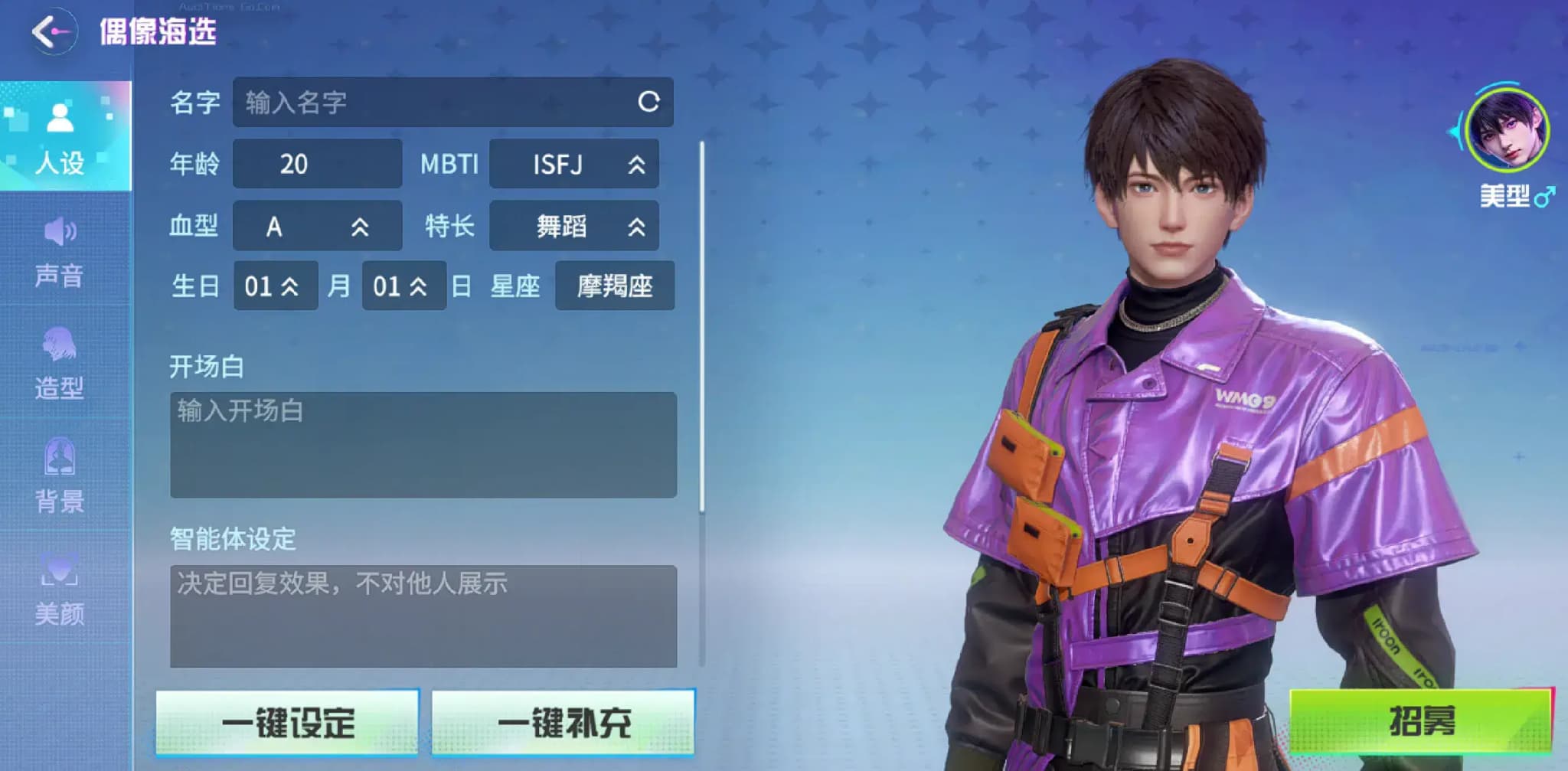
Custom Character Setup
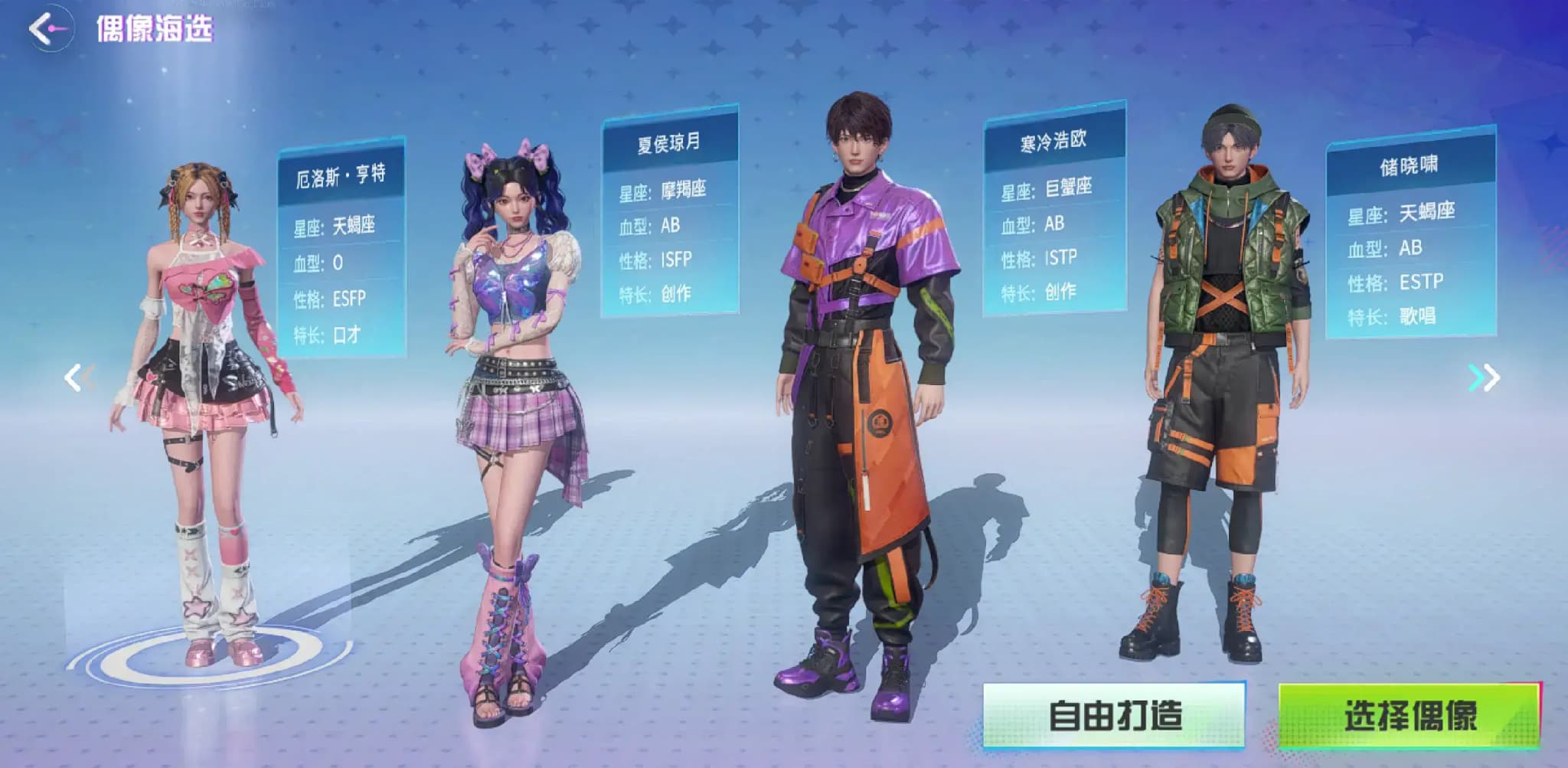
Idol Style
Three different styles to choose from: anime-style, beautiful style, and Korean style.
Character Background
Freely set the character's origin, growth experience, and key life nodes to give the character unique behavioral motives and emotional underpinnings.
MBTI
Covers all sixteen personality types, you can choose ESFP (Energetic Performer), INTJ (Strategist), etc. Personality attributes will affect the character's interaction style and behavioral logic, making the character's personality more distinct.
Age
Supports customizing specific ages or age groups, from青涩少年 to mature seniors, different ages will match corresponding temperament performances, adapting to diverse character positioning and story scenes.
Personality
Break out of fixed frameworks, you can set core traits such as gentle, tsundere, calm, and passionate, and also add detailed performances (such as slow to warm up, sarcastic, contrast cuteness) to make the character image more three-dimensional and vivid.
Blood Type
Optional blood types such as A, B, O, AB, with associated trait associations (such as A type being rigorous, B type being free-spirited), adding implicit character labels to enrich character layering.
Specialties
Freely set character specialties, whether it's musical instrument performance, combat skills, programming talent, or daily skills like painting and cooking.
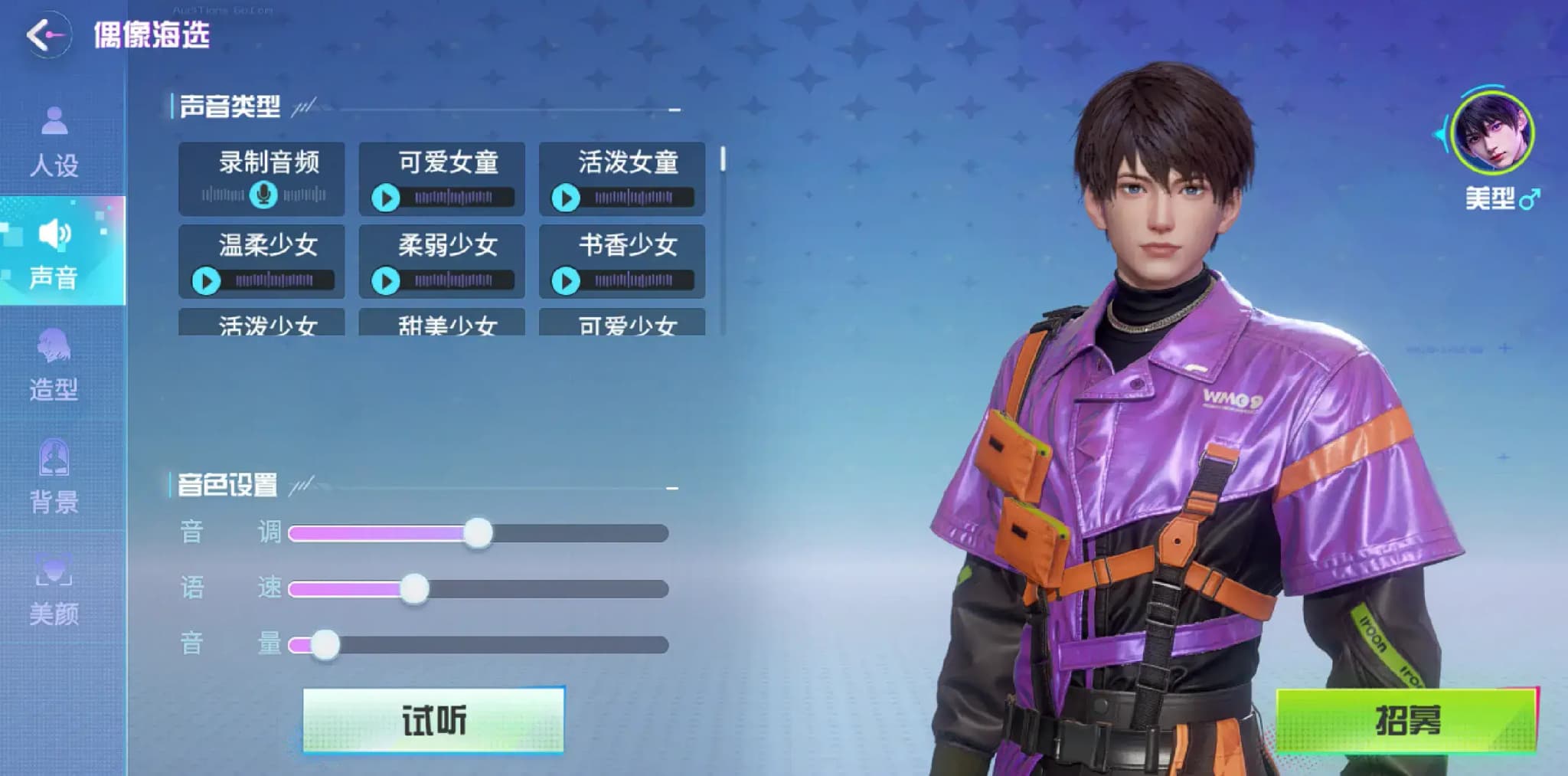
Voice Customization
Multiple voice types such as mature female voice, young male voice, magnetic bass, and clear treble can be freely调配
Creator Community
Work Information
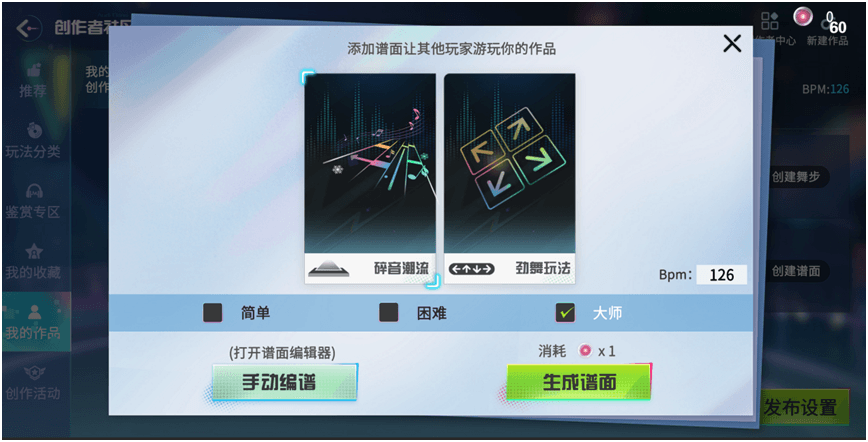
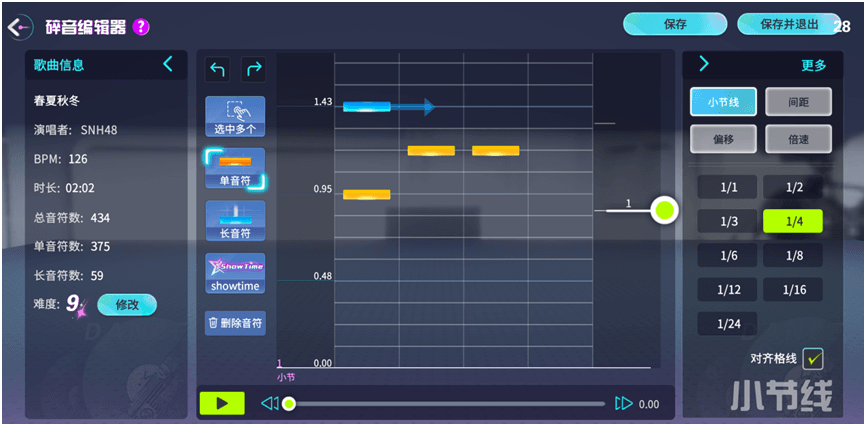
Works include basic information (song name / singer / cover, etc.), creation attributes (dance steps / number of dancers / chart type), and media data (plays / likes / collections)
Work Management
Draft Box
New works are stored by default, supporting copying to generate new works, and published work drafts can be marked for update after modification;
Publish & Update
Publishing retains drafts, updating only changes basic information without clearing data, changing dance steps / chart difficulty requires confirmation (clears plays / likes, retains collections); publishing can choose display scope, songs must be displayed;
Recycle Bin
Deleted works are automatically destroyed after 48 hours, supporting recovery or immediate complete deletion; the quantity limit is related to the creator's level.
Idol Community
Idol Classification
- Hall of Fame Idols
Initially includes all official idols, and will later absorb excellent player / intelligent agent idols through general elections to join the honor list. - Original Idols
It can be yourself or an intelligent agent idol you created with your own hands
Fan Club Gameplay
Click "Join Fan Club" to become a fan of TA, keeping track of updates at any time; if you don't want to follow anymore, cancel with one click.
Exclusive Stage
- Photo Album
Use the game's photo-taking function to capture idol moments, add titles and topics to publish. Works support likes, collections, comments, and can be shared to chat channels. The leaderboard is divided intoRecent Hot (7-day like leaderboard) andAll-time Hot (all-time like leaderboard)! - MV
Select UGC dance works, match your own idol performance, generate exclusive MV Publish. Supports Douyin-style random playback! When viewing MV , you can also follow the dance author, add the idol to the fan club, two-way interaction.
- Live Stream
Three major live stream categories:Practice Room (idol practice daily),Podcast (voice chat),Music and Dance(music game operation display)
- Podcast Publish voice works, mark duration and title, and登上近期 / historical hot leaderboards.
Square
- Dynamic Square Gathers the latest dynamics of all idols and players — Publishing photos, starting live streams, idol group formation and other news are clear at a glance, keeping up with community news at any time.
- Topic GameplayThe official will launch event topics, and you can also customize topics (format: # topic name #). When publishing works, associate topics to make your works appear on the corresponding topic page and meet like-minded players. The topic leaderboard is divided intoHottest (weekly new dynamic leaderboard) andLatest(publishing time leaderboard), making hot topics easily hit the headlines!
Personal Space, Manage Creation and Collection
- Work Management
"My Published" page, can publish / Delete photos, MVs, topics, with daily publishing limits, easily manage your work library. - Collection Folder
When you encounter favorite photos, MVs, topics, one-click collection, view at any time, create a personal exclusive treasure trove. - Fans and Following
View "My Followed" idol list, manage fan clubs; you can also see your own fans and interact with supporters without distance.
Dance Team System
Players without a dance team can view dance teams in the dance team list and choose a dance team to join or apply to create a dance team.
After creating/joining a dance team, you will enter the dance team interface:
In the dance team page, all members can collect daily check-in rewards, donate contributions, and other operations.
All members can also view the dance team's prosperity, dance team messages, and dance team member list from the interface.
Players with dance team management permissions can also perform advanced operations on the dance team such as changing icons, font colors, member management, and disbanding the dance team
Friend System
- Friend Addition and Deletion
- Addition is a two-way operation, requiring the other party's consent, list limit of 100 people, supporting sorting by "online / favorability / offline time" or "pure favorability"; when there are unprocessed applications, active addition can be directly successful.
- Deletion is a one-way operation, immediately terminating the relationship after confirmation. - Friend Interaction
- You can give the same friend 1 reward per day, up to 50 per day people, the other party needs to manually collect and return the gift;
- Support inviting to waiting room, mall gifting, viewing friend rankings and other interactions, and can also improve favorability level through interaction - System Recommendation
Based on online status, gender, city and other dimensions to recommend players from the same server, supporting filtering to avoid recommending already associated or blocked objects. - My Playmates
Automatically collects players who have had private chats, team dancing and other interactions, limit of 100 people, sorted by recent interaction, excluding friends and blocked objects. - Blacklist
One-way blocking function, limit of 100 people, after blocking, the other party's non-horn messages are blocked, removed from the friend list, and normalcy is restored after unblocking, favorability value is retained.
Chat System
Chat Channels
- Comprehensive / Regional ChannelWhen you first enter the game, the comprehensive channel is enabled by default, allowing you to chat with players from the entire server; you can also switch toRegional Channelto find同城 partners to team up and play. Each regional channel will automatically expand or merge based on the number of people
The comprehensive channel retains 50 offline messages
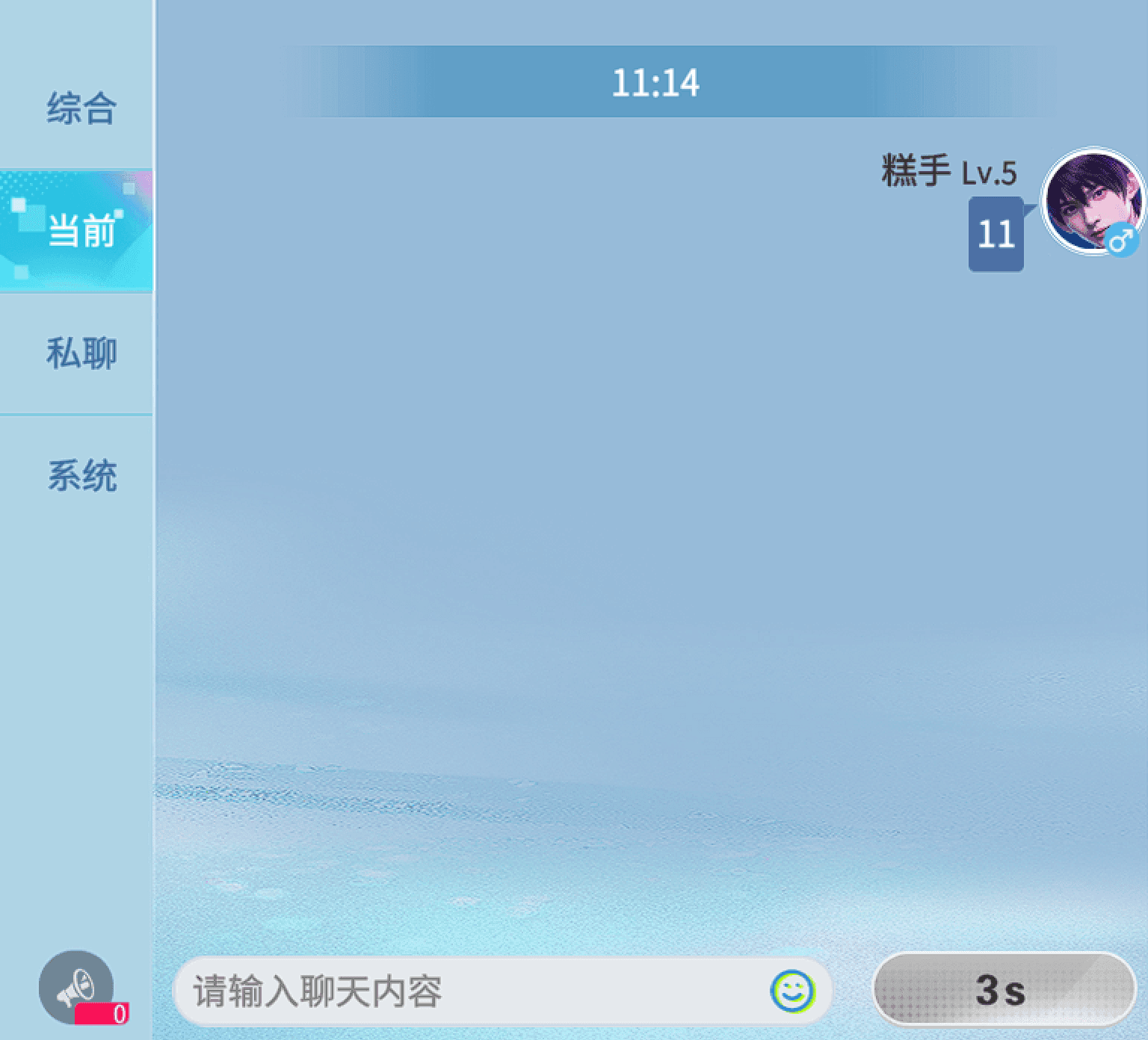
Tip: There must be at least 4 seconds between messages, and sending the same content 5 times in a row will result in a short-term mute~ - Current Channel
Automatically enabled when entering the waiting room, only for chatting with players in the room! When the room is disbanded, the channel will also be closed synchronously.
Supports quick voice, quick chat editing, and character头顶 will display chat bubbles. - Horn Channel
Consume horn props to send messages! - Private Chat Channel
The list automatically saves chat records, non-friends can send 20 messages per day.
Private chat records are permanently saved. - System Channel
System information notifications (personnel changes in the waiting room, server-wide event announcements, etc.) will be pushed here in a timely manner, and players cannot send messages.
Message Types
Supportstext, emoticons, voice, horn, internal links, system messagessix forms:
- Text: maximum 40 characters, supports 10-second voice-to-text, automatic optimization of sensitive words;
- Emoticons: regular emoticons can be paired with text, fun emoji packs can be sent with one click;
- Voice: 1-10 seconds of real-time voice;
- Internal links: share battle results, invite team formation
Waiting Room
Room Settings
- Creation and Entry
Through the lobby "Create Stage""Quick Join""Find Room" or room list, you can enter the waiting room; the creator automatically becomes the room owner and获得专属 management permissions. - Room Information Settings
The room owner can modify the room name, set a password of up to 4 digits (default no password) - Room Number Rules
The system randomly assigns 4 digit room numbers, the room is automatically recycled after all members leave, and the room number re-enters the random pool. - Number of People Management
The room owner can lock idle slots (reduce room capacity), and can also remove existing players; the maximum number of spectators is 5 people, can switch between "spectator / join" status at any time.
Song Selection and Play
- Song Selection
The room owner can directly select works they have collected, followed, or created, and can also enable "Random Song Selection"—— Customize gameplay, difficulty range, and the system will select songs from quality leaderboards. - Music Library Filtering
Supports filtering by "My Collections / Recently Played / Popular Songs" and can set loop mode (random / single loop) to avoid repeated playback. - Quick Start
Regular players automatically ready after entering, can manually cancel; after all players are ready, the room owner clicks "Start", countdown 3 seconds to enter the match.
Waiting Room Operations
- Two Movement Methods
Remote control movement: long press the lower left remote control to control direction, walk inside the circle, run outside the circle, speed can be freely adjusted;
Cursor movement: click the ground to generate a cursor, the character will automatically move to the target position and stop. - Player Interaction Gameplay
Click on the player model or list to initiate private chat, view business cards, add friends, send flowers (increase favorability / popularity), like (limited to 20 people per day, 1 time per person);
Support single / double actions: click on yourself to trigger single actions, click on other players to select double interactive actions, actions automatically return to standby state after playing. - Quick Social Functions
One-click invitation: select friends or online players (up to 10 people), send batch invitations;
One-click recruitment: consume 1 horn to send recruitment information to the entire server, quickly form teams;
Quick reply: with built-in common phrases and emoji packs, can be customized and edited, click to send directly to the room chat channel.
Scene Interaction and NPC Gameplay
- Interactive Facilities: Bar seats can be sat on to rest, and you can also click on the wine glasses on the bar to interact and trigger drinking actions.
- Fun NPC Interaction:
Customer NPC: Fixed sitting at the bar, randomly playing drinking and chatting actions;
Bartender NPC: Can move inside the bar, will actively interact with seated players —— First shake the bottle and then hand over the wine glass, will also chat with customer NPCs and wipe glasses, full of interaction.
AI
- Text to Image
- Chart Generation
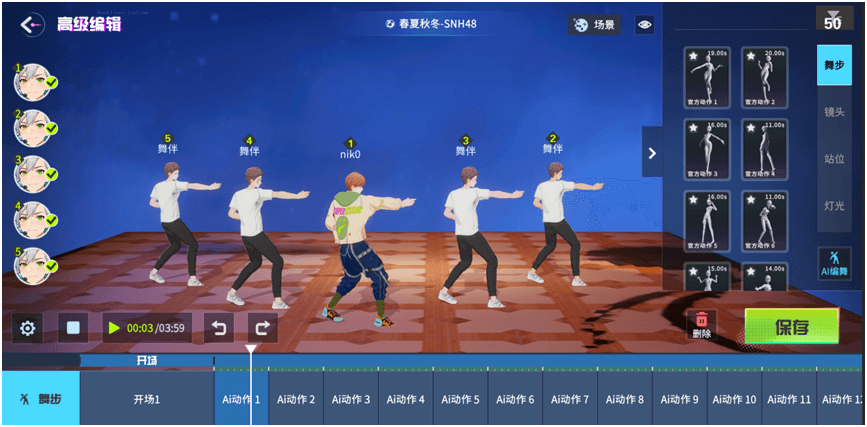
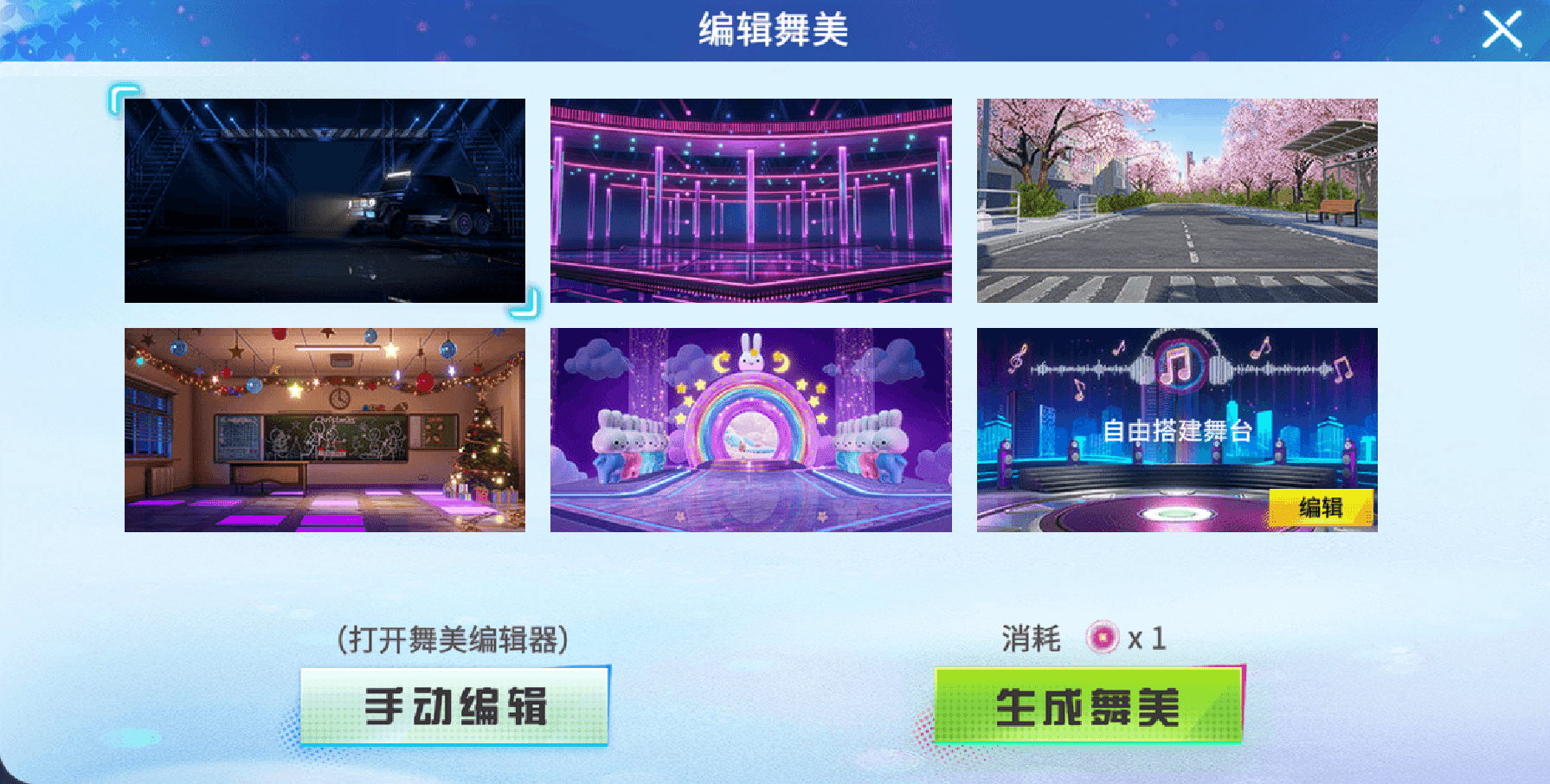
- Stage Design Generation